Remove or give back access
Stop someone from signing in when they leave, without losing their history, and let them back in later.
Updated
When someone leaves your office, remove their access. They can no longer sign in, but everything they did stays: their notes, comments, and the tasks they created or finished.
Only a Director can do this.
Remove someone's access
- Click Settings → Team.
- Find the person's row.
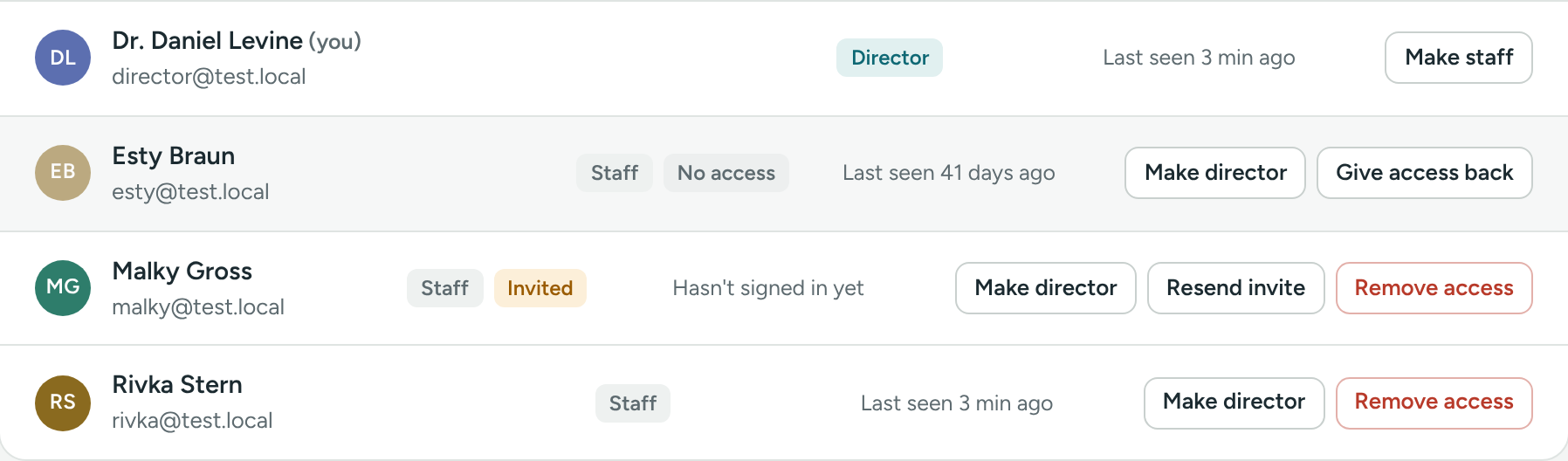
- Click the red Remove access button.
- Confirm. The message says "They won't be able to sign in. Their tasks stay as they are."
You'll see "… can no longer sign in." Their row is grayed out and shows No access.
What happens
- They can't sign in. If they try, they see "This account has no access right now, or isn't part of an agency yet. Ask your director to give you access again."
- They stop getting emails and Google Chat messages from Caseglen.
- They no longer show in Assign to when creating a task.
- Their name stays on notes, comments and tasks, so the history makes sense.
- They no longer count toward the seats on your plan.
Their open tasks
Tasks assigned to them stay as they are. Reassign them so nothing is missed:
- Go to Tasks.
- In Assigned to, choose their name. People without access are at the bottom, marked (no access).
- Click a task, click Edit, choose someone else in Assign to, and click Save changes.
- Repeat for each task.
The new person gets a new-task email for each one.
Give access back
- Go to Settings → Team.
- Click Give access back on their row.
You'll see "… can sign in again." They sign in with their old password. If they've forgotten it, they can use Forgot your password? on the sign-in page.
If your plan's seats are all used, you'll see "Your plan includes up to … staff accounts." Remove someone else's access first, or contact us at support@caseglen.com to upgrade.
Good to know
- You can't remove your own access.
- There must always be at least one director with access.
- Removing access is better than deleting: you keep a clear record of who did what. If you need an account fully removed, contact support@caseglen.com.
If something is unclear or doesn’t match what you see on screen, tell us and we’ll fix it.