Add a client
Add a new family with the short potential-client form, or an active client with every field.
Updated
On this page
Add a potential client (the short form)
When a new family calls, you only need what the first call gives you.
- Click Clients in the sidebar.
- Click Add client at the top right.
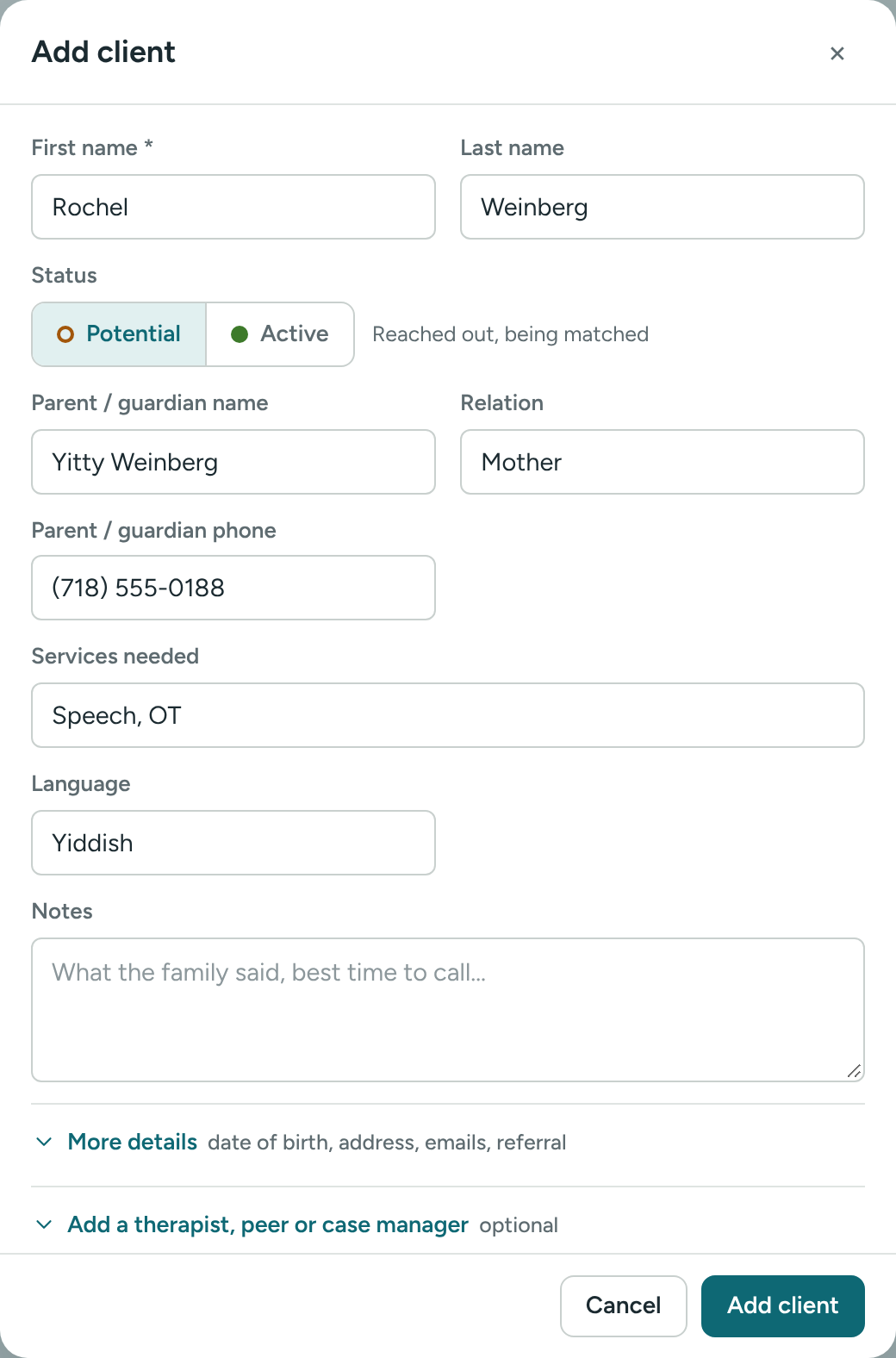
- Leave Status on Potential ("Reached out, being matched").
- Fill in what you know:
- First name (required) and Last name
- Parent / guardian name and Relation (mother, father, grandmother…)
- Parent / guardian phone
- Services needed – for example Speech, OT, PT or ABA
- Language
- Notes – what the family said, the best time to call…
- Click Add client.
You'll go straight to the new client's profile, and you'll see Client added.
More details
Click More details to open the rest of the fields: Date of birth, Intake date, Parent / guardian email, Client phone, Phone 2, Client email, Address and Referral source.
Click Add a therapist, peer or case manager to link the care team right away. Pick a Therapist, a Peer and a Case manager. Each is optional. You can also do this later. See Build a client's care team.
Add an active client
If the client is already onboarded:
- Click Add client.
- Choose Active in Status ("Already onboarded").
- The form opens wider, with every field showing, and About / background instead of Notes.
- Fill in what you know and click Add client.
"There is already a client named…"
If a client with the same name already exists, Caseglen warns you before saving. Check the list first. If it really is a different person, click Save anyway.
Edit a client later
- Open the client's profile.
- Click the ⋯ button at the top right.
- Click Edit details.
- Change what you need and click Save.
Next steps
- A client's profile
- Create a task about this client
If something is unclear or doesn’t match what you see on screen, tell us and we’ll fix it.