Therapists, peers and case managers
Who goes where, what the list pages show, and what you can keep for each person.
Updated
On this page
Besides clients, Caseglen keeps three kinds of people. Each has its own page in the sidebar.
Who is who
- Therapists – the clinicians who provide services, for example a speech therapist, OT or ABA provider.
- Peers – peer support staff who work with families.
- Case managers – often from another agency or program, they coordinate a client's services.
None of these people sign in to Caseglen. They are contacts you keep track of. The people who sign in are your office staff. See Team members and roles.
The list pages
- Click Therapists, Peers or Case managers in the sidebar.
- Use the tabs: Active and Inactive. Each shows a count.
The table shows:
- Name
- Discipline (therapists), Role (peers) or Organization (case managers)
- Languages
- Active clients – how many active clients they're linked to
- Phone and email buttons, to call or write in one click
Columns that are empty for everyone are hidden. Click a row to open the profile.
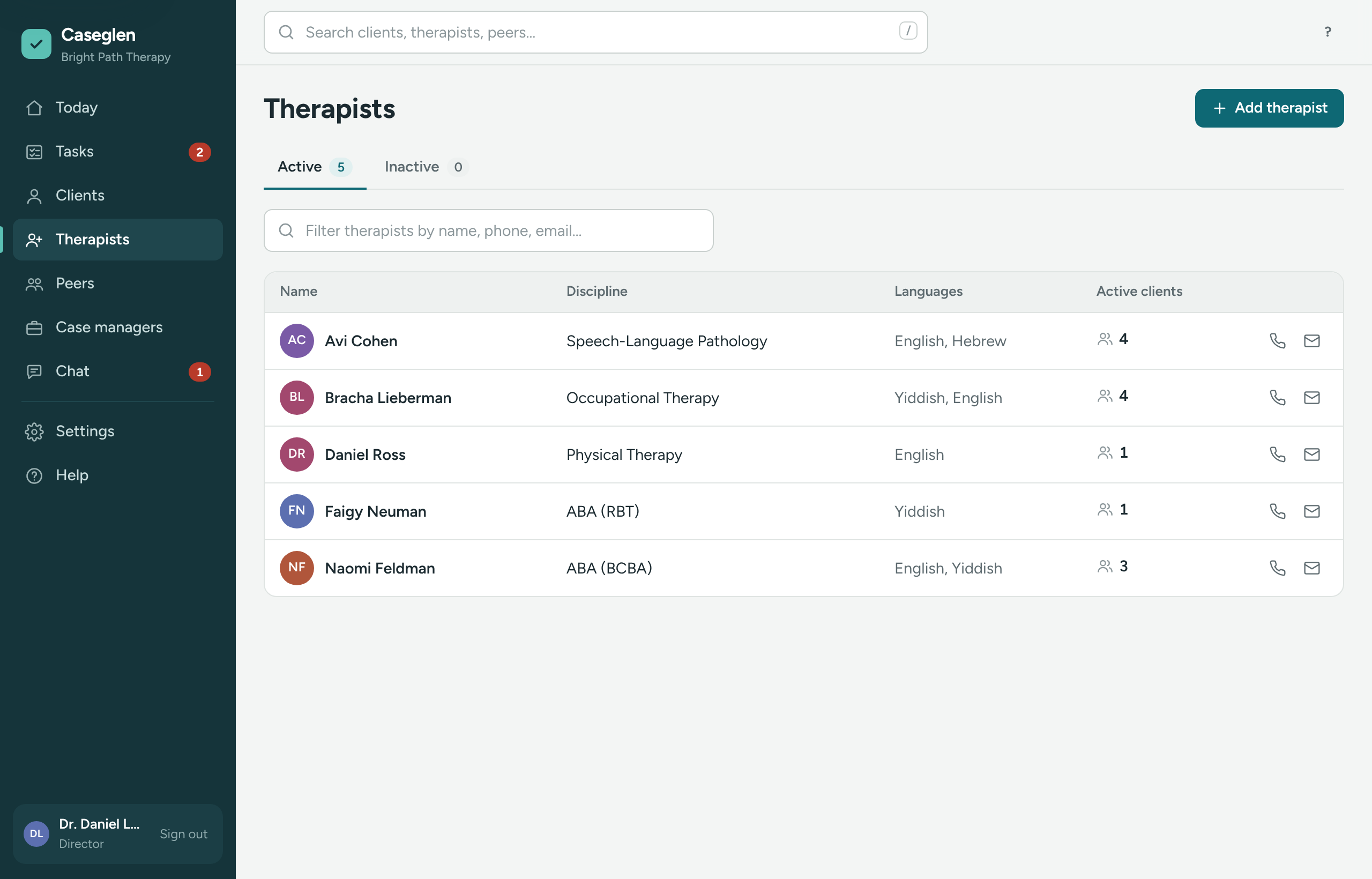
Use the filter box above the table to narrow the list by name, phone, email, discipline or language.
On a phone, each person shows as a card with a round call button.
What you can keep for each person
- Phone, Phone 2 and Email
- Discipline / credentials for therapists (for example "Speech therapist, CCC-SLP"), Role for peers, or Organization / agency for case managers
- Language for therapists and peers, and Address
- About – anything else the office should know
Their profile
The header shows the name, the status button, and a line with their discipline, language and how many active clients they have. Call, Text and Email buttons sit under it.
- Log – calls, notes and tasks. See The log.
- Tasks – open tasks about them.
- Details – their contact details.
- Clients – the clients they work with. See See a therapist's caseload.
Active and inactive
When someone stops working with your agency, make them Inactive instead of deleting them. Their profile and history stay, and you can Reactivate them later.
Next steps
If something is unclear or doesn’t match what you see on screen, tell us and we’ll fix it.