Start your free trial and set your password
Create your agency's account in about a minute. No credit card needed.
Updated
You can try Caseglen free for 30 days. You don't need a credit card. Everything is included during the trial.
Sign up
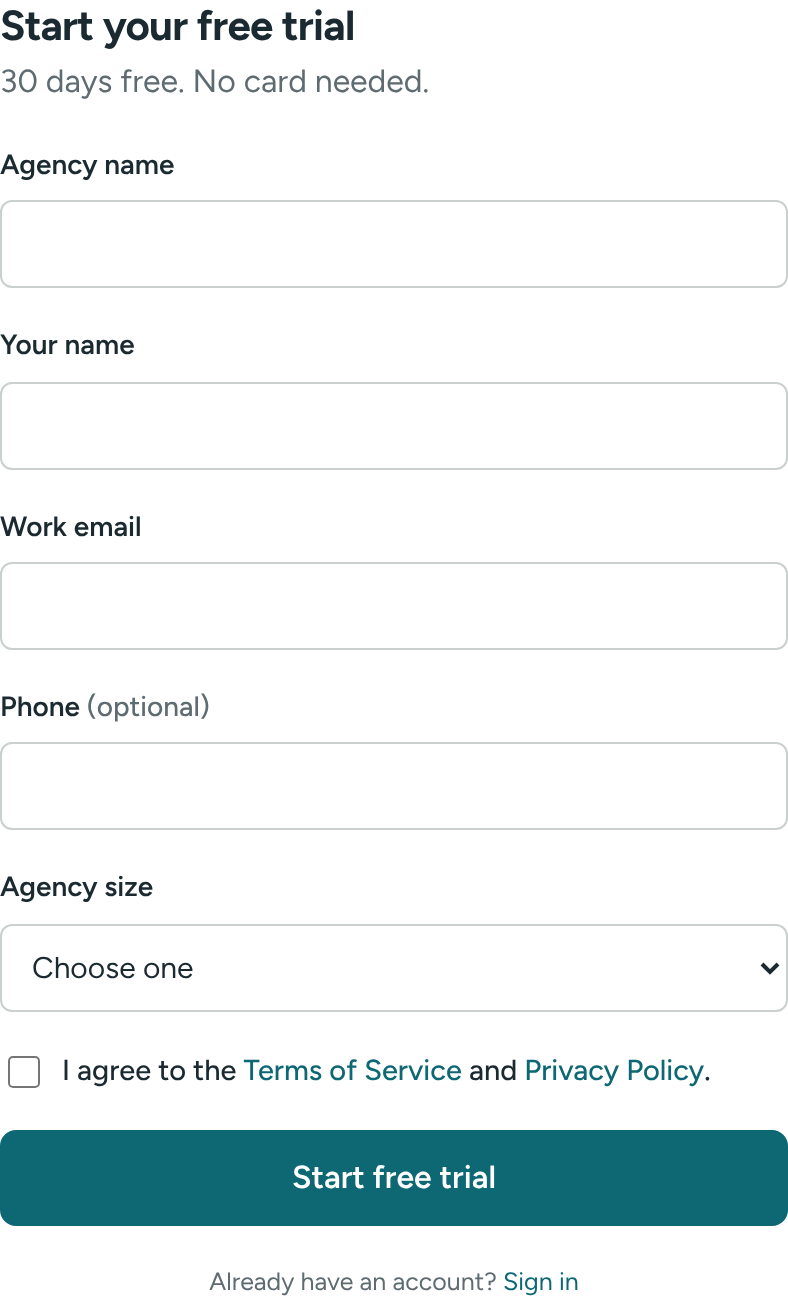
- Go to the website and click Start free trial.
- Fill in the form:
- Agency name – the name your staff will see in the sidebar and in emails.
- Your name
- Work email – this is the address you will sign in with.
- Phone (optional)
- Agency size – pick the closest one.
- Tick the box to agree to the Terms of Service and Privacy Policy.
- Click Start free trial.
You'll see Check your email to set your password. We just sent you a link.
Set your password
- Open the email from Caseglen and click the link.
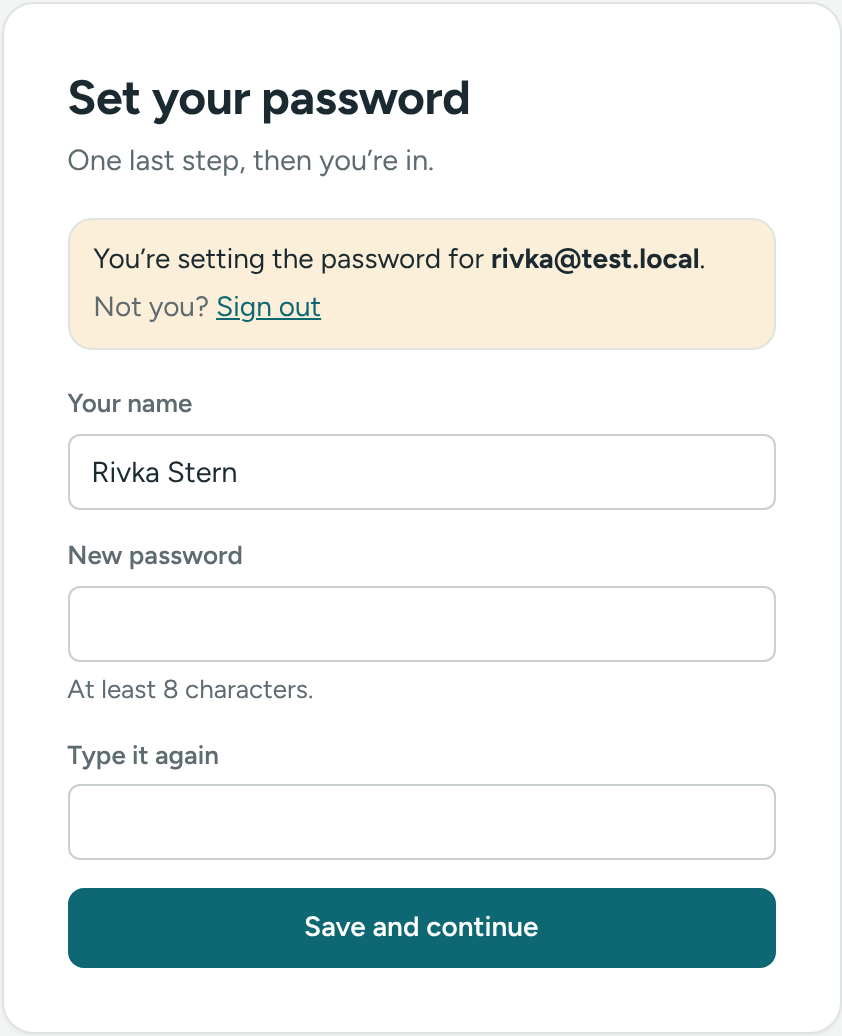
- On the Set your password page, check Your name.
- Type a password in New password, then again in Type it again. Use at least 8 characters.
- Click Save and continue.
That's it. You're signed in and land on the Today page. You are the agency's first Director, so you can change every setting and invite your team.
If the link has expired
Links in these emails only work for a limited time, and only once. If you see That link didn't work or Link expired:
- Go to the sign-in page.
- Click Forgot your password?
- Enter your email and click Send reset link.
A fresh link will arrive in a minute. See Sign in, sign out and reset your password.
During the trial
The sidebar shows how many days are left, for example Free trial · 21 days left. To keep using Caseglen after the trial, contact us at support@caseglen.com.
During the trial you can have up to 10 staff accounts (directors included).
After the last day (counted in your agency's time zone, from Settings), the app is locked and shows Your free trial has ended. Nothing is deleted. As soon as we extend the trial or start your plan, click Try again and you're back in, exactly where you left off.
What to do first
- Invite your office staff.
- Check your task categories. We add a starter set for you.
- Add your first client.
If something is unclear or doesn’t match what you see on screen, tell us and we’ll fix it.